 Skip to content
A blank or broken EPG is one of the more confusing IPTV problems, because the channels themselves usually play just fine while the guide grid sits empty, which doesn’t match most people’s instinct that a “guide problem” should also be a “channel problem.” It isn’t, because the EPG is a separate data feed layered on top of your working channel list, not part of the video stream itself.
This guide walks through the real causes behind a missing or broken program guide, from a simple missing URL setting to a subtler channel-ID mismatch, and how to fix each one.
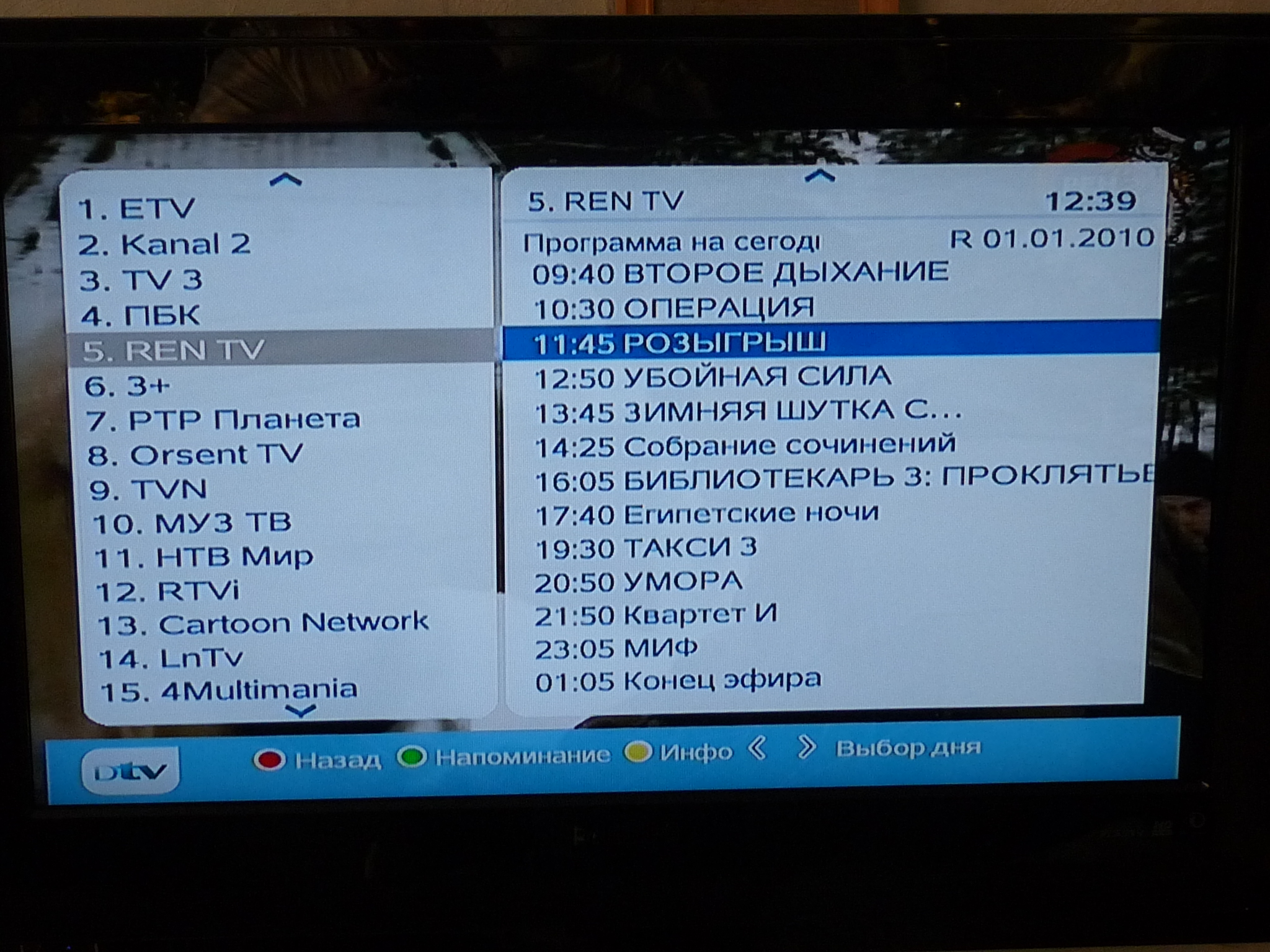
What the EPG Actually Is
The EPG, or Electronic Program Guide, is the scrollable grid showing what’s airing now and later on each channel, usually pulled from a separate XMLTV data feed rather than being bundled inside your M3U playlist itself. That distinction matters for troubleshooting: your channels can work perfectly while the EPG shows nothing, because the two are technically separate pieces loaded and matched up by your app, not one single file.
Cause 1: The EPG URL Was Never Actually Added
The single most common reason an EPG shows blank is that the app has a separate field for the EPG/XMLTV URL that was never filled in, distinct from the M3U playlist field. Some apps auto-detect an EPG URL if it’s referenced inside the M3U file’s header line, but not all of them do this reliably. Check your app’s settings for a field labeled EPG URL, XMLTV URL, or Guide Source, and make sure your provider’s EPG link is actually entered there.
Cause 2: Channel ID Mismatch Between Playlist and EPG
Even with a correct EPG URL loaded, individual channels can still show no program data if their internal ID (the tvg-id tag in the playlist) doesn’t exactly match the channel ID used inside the XMLTV guide data. This is a data-matching problem rather than a connection problem, and it tends to affect a handful of specific channels rather than the whole guide, which is a useful clue when diagnosing it.
Spotting a Partial EPG Gap
If most channels show program listings fine but a few specific ones are consistently blank, that pattern points toward a channel ID mismatch on just those channels rather than a broader EPG problem. If literally every channel shows nothing, the issue is more likely the EPG URL itself not being set or not loading at all.
Cause 3: A Stale, Cached EPG That Needs Refreshing
Many IPTV apps only fetch fresh EPG data on a schedule (once every several hours, or once per app launch) rather than continuously, so a guide that worked yesterday but looks frozen or outdated today often just needs a manual refresh. Look for a “Refresh EPG,” “Update Guide,” or similar option buried in the app’s settings menu, separate from any playlist refresh option.
EPG showing blank after trying these steps?
Cause 4: Wrong Device Time Zone
An EPG grid that shows program times that are clearly off by a fixed number of hours, rather than being empty, is almost always a device time zone setting issue rather than an EPG data problem. Check your device’s system date, time, and time zone settings; a surprising number of streaming boxes and older Android devices ship with the time zone set incorrectly out of the box or lose the correct setting after a firmware update.
- Confirm your app has a separate EPG/XMLTV URL field, and that it’s actually filled in.
- If only some channels are missing program data, suspect a channel ID mismatch rather than a broken EPG feed.
- Manually trigger an EPG refresh from the app’s settings menu rather than assuming it updates automatically.
- Check your device’s time zone setting if the guide shows times that are off by a consistent offset.
- If nothing above resolves it, ask your provider whether the EPG source URL itself has changed recently.
When It’s Actually a Provider-Side EPG Outage
Occasionally the guide data source itself, rather than anything in your app’s settings, is temporarily down or serving stale data, which shows up as every channel losing program listings at the same time despite a correctly configured EPG URL that was working fine the day before. This is less common than the setup issues above, but it’s worth ruling in once you’ve confirmed the URL is entered correctly and a manual refresh doesn’t help.
A quick way to tell the difference: if a completely different device or app, pointed at the same EPG source, also shows blank listings, that points toward a provider-side issue rather than anything specific to your app or device configuration.
A Reminder: EPG Problems Don’t Affect Live Playback
It’s worth separating this clearly since it causes unnecessary panic: a broken EPG is a guide-display problem, not a channel-access problem. You can always tune directly to a channel and watch what’s live right now even with zero program-guide data showing, since the guide and the actual video stream are handled by entirely separate parts of the system. If channels themselves stop working, that’s a different issue covered in our channels not loading guide, not an EPG problem.
How IPeeTV Flix Fits Into This Picture
IPeeTV Flix provides a working EPG/XMLTV feed alongside every playlist, so if your guide is empty after checking the causes above, it’s worth confirming the EPG URL you’re using is the current one rather than an older saved link. Message us through the contact page with your app name and we’ll send the exact field to check. For more troubleshooting, see our guide on channels not loading, or head to the homepage to review current plans.
Frequently Asked Questions
Why do my IPTV channels work but the guide shows nothing?
The EPG is a separate XMLTV data feed from the actual video stream, so it’s entirely possible for channels to play correctly while the guide’s URL was never entered, or hasn’t refreshed yet.
Do I need to manually add an EPG URL, or does it load automatically?
It depends on the app. Some auto-detect an EPG URL referenced inside the M3U file, but many require you to paste it into a separate EPG or XMLTV field in settings.
Why is program data missing on just a few channels, not all of them?
That pattern usually points to a channel ID mismatch, where the tvg-id in the playlist doesn’t exactly match the ID used in the EPG data for that specific channel.
How often does an IPTV app refresh the program guide?
It varies by app, often every few hours or once per app launch, rather than continuously. A manual refresh option in the app’s settings can force an immediate update.
Can wrong device time cause EPG problems?
Yes, specifically a guide that shows times consistently off by a fixed offset rather than blank. Checking your device’s time zone setting is worth doing before assuming it’s a data problem.
Need your current EPG link resent?
