 Skip to content
VLC Media Player is one of the most dependable ways to watch IPTV, precisely because it isn’t a dedicated IPTV app at all — it’s a free, general-purpose media player that happens to read M3U playlists natively, with no account, no ads, and no risk of disappearing from an app store overnight. It’s not the flashiest option, but it’s often the most stable one to fall back on.
This guide covers opening a playlist in VLC on any platform, saving it locally for faster access, and the one setting change that fixes most VLC-specific buffering complaints.
Why VLC Is Worth Using for IPTV
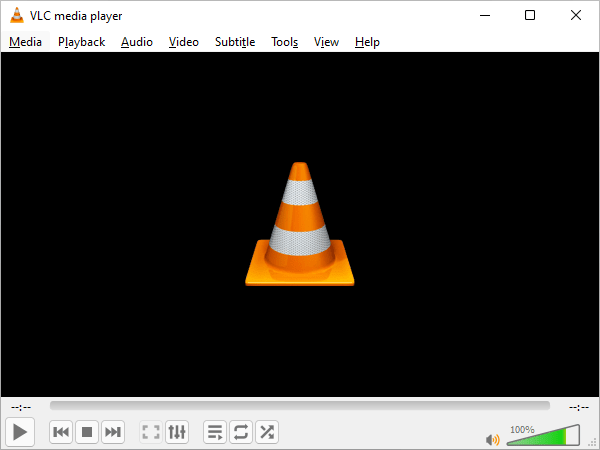
VLC Media Player is free, open-source, available on virtually every platform (Windows, macOS, Linux, Android, iOS, and Android TV), and plays almost any video format or codec without needing extra plugins installed. For IPTV specifically, its biggest advantage is that it reads a plain M3U playlist directly with zero account creation, no ads, and no dependency on a third-party app staying available in an app store.
The trade-off is that VLC’s default interface is a plain file browser and playlist panel, not a polished TV-guide grid with channel logos and categories the way dedicated IPTV apps present things. For people who mainly want reliability and don’t mind a simpler look, that trade-off is usually worth it.
Opening Your IPTV Playlist in VLC
On desktop, open VLC and go to Media > Open Network Stream, then paste your full M3U playlist URL into the field and press Play. VLC will load every channel in the playlist into its Playlist panel (View > Playlist, or Ctrl+L on Windows), letting you browse and double-click to switch channels without re-entering the URL each time.
Saving It as a Local File
Rather than re-pasting the URL every time, you can save the playlist locally: open the URL in a web browser, save the page as an .m3u or .m3u8 file, then use Media > Open File in VLC going forward to load it instantly from disk. This is slightly faster to open and gives you an offline copy of the channel list, though the actual video still streams live over the internet as normal.
Using VLC on Mobile and Android TV
The VLC app on Android and iOS supports the same Open Network Stream approach as the desktop version, accessible from the app’s menu, and works identically on Android TV boxes with a remote-friendly interface. It’s a solid backup option on any device where your usual dedicated IPTV app is misbehaving, since VLC’s playback engine is independent of whatever app-specific bugs might be affecting another player.
Want your M3U URL sent in a format ready to paste straight into VLC?
Fixing Buffering With VLC’s Network Caching Setting
If channels stutter or buffer more in VLC than they should on your connection, VLC’s default network caching value is often set lower than ideal for live IPTV streams. On desktop, go to Tools > Preferences, switch the “Show settings” option at the bottom-left to All, then navigate to Input / Codecs and increase the Network Caching value (in milliseconds) to something like 3000-5000. This tells VLC to buffer a larger cushion of data before playing, trading a slightly longer channel-switch delay for noticeably fewer stutters on unstable connections.
| Symptom | Setting to Adjust | Effect |
|---|---|---|
| Frequent stutter or micro-freezes | Raise Network Caching to 3000-5000ms | Smoother playback, slightly slower channel switching |
| Playlist won’t load at all | Check the URL for stray spaces | Retype the URL manually instead of pasting |
| No sound on some channels | Audio track not auto-selected | Use Audio menu to manually pick the correct track |
| Subtitles missing on international channels | Subtitle track not enabled by default | Use Subtitle menu to enable the available track |
VLC Directly on Smart TVs
Some smart TV platforms, including certain Samsung and LG models, have a native VLC app available in their own app store, letting you skip a separate streaming box entirely and open your M3U playlist directly on the TV’s built-in interface. Availability depends heavily on the specific TV model and platform version, so it’s worth checking your TV’s app store directly rather than assuming it’s there. Our smart TV setup guide covers the broader range of app options across different TV brands if VLC isn’t available on yours.
Organizing a Large Channel List in VLC
A big playlist with hundreds of channels can be genuinely unwieldy to scroll through in VLC’s plain playlist panel, since it doesn’t group by category as cleanly as a dedicated IPTV app’s guide view does. If your provider’s M3U includes group-title tags (most modern ones do), some VLC skins and versions will partially respect this grouping, but it’s inconsistent across platforms. If browsing feels cluttered, sorting the playlist panel alphabetically, or keeping a shortlist of your most-watched channels saved as a separate smaller playlist file, are both practical workarounds that don’t require any other app.
How IPeeTV Flix Fits Into This Picture
Every IPeeTV Flix subscription includes a standard M3U URL that works directly in VLC on any platform, so it’s a genuinely usable fallback if your preferred app ever has issues. If a channel is stuttering specifically in VLC after trying the caching fix above, let us know through the contact page so we can check on our end too. See our setup guide for device-specific instructions, or the homepage for current plans.
Frequently Asked Questions
Can VLC play an IPTV M3U playlist directly?
Yes. Use Media > Open Network Stream and paste the full M3U URL, and VLC will load every channel in the playlist without needing any separate app.
Is VLC better than a dedicated IPTV app?
It depends on what you value. VLC is more reliable and won’t disappear from an app store, but dedicated apps usually offer a nicer TV-guide-style interface with channel logos and an EPG grid that plain VLC doesn’t build automatically.
Why does VLC buffer more than my usual IPTV app?
Often it’s just VLC’s default network caching value being lower than what a dedicated IPTV app uses. Raising it in Tools > Preferences > Input/Codecs usually resolves it.
Can I use VLC on Android TV with a remote?
Yes, the Android TV version of VLC has a remote-friendly interface and supports the same Open Network Stream method as the desktop app.
Does VLC show channel logos and categories like a dedicated IPTV app?
Not by default, and not as polished. VLC’s playlist panel is a simpler list view, which is part of the trade-off for its reliability and lack of dependency on any one app staying available.
Ready to get your M3U link and try it in VLC?
